Imagine you are shopping for a new shirt online.
You open a clothing store and see two photos. One shows a shirt hanging on a hook. The other shows the same shirt standing in a nice shape, but nobody is wearing it.
Which one helps you see the shirt better?
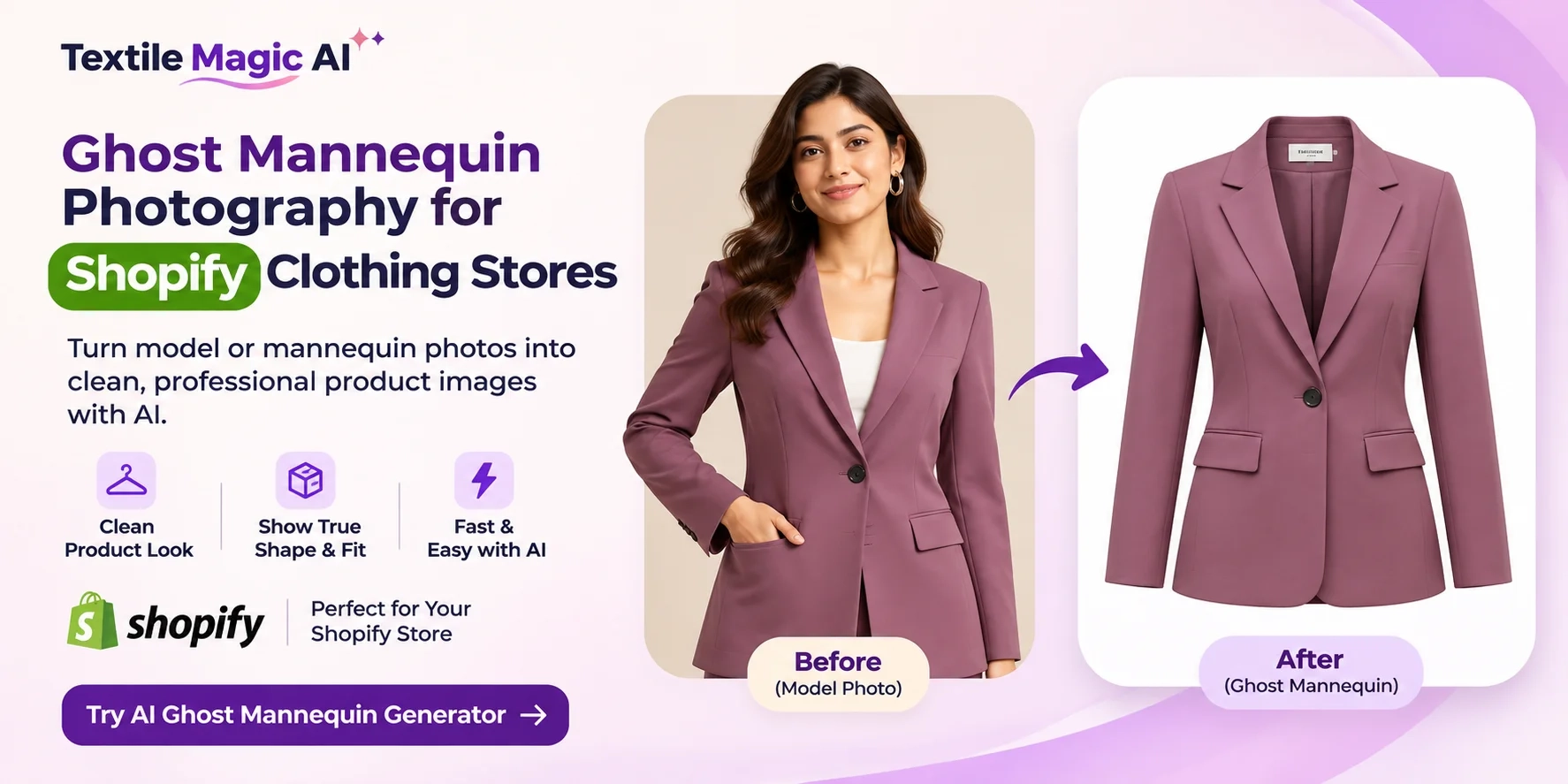
The second photo shows the clothing's shape more clearly. This is called ghost mannequin photography.
Many clothing businesses use this style to show their products. It helps shoppers see the neckline, sleeves, and overall shape without a person in the picture.
Today, AI tools are making this type of product photography easier to create.
In this guide, you will learn what ghost mannequin images are, how they work, and how to prepare them for your Shopify clothing store with Textile Magic AI.
What Is Ghost Mannequin Photography?
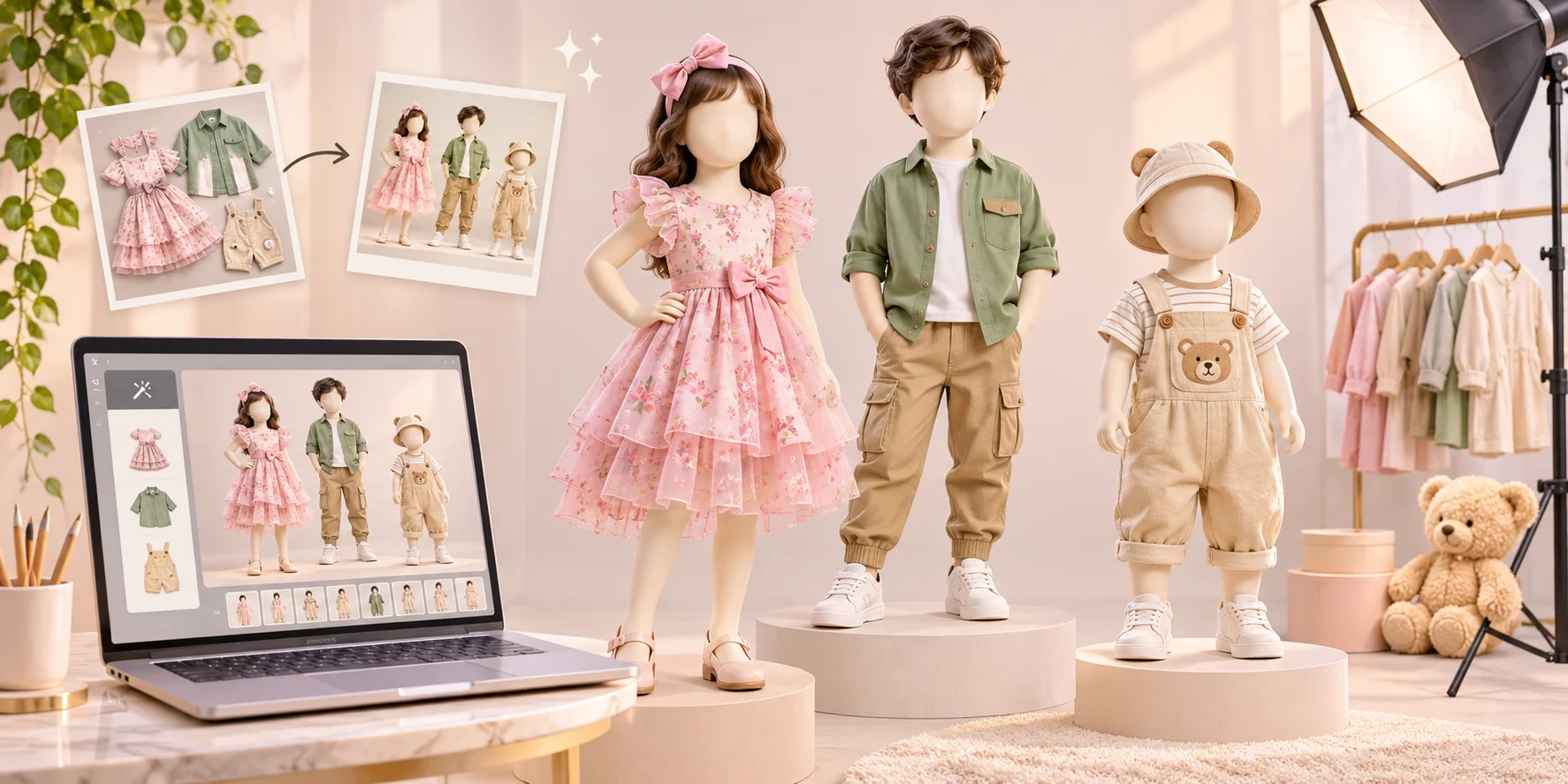
Ghost mannequin photography is a way to photograph clothes so they look like someone is wearing them, even though no person or mannequin is visible.
Think about a jacket.
When you place it on a table, it lies flat. You can see its colors and buttons, but it is harder to see its shape.
Now imagine that jacket standing up, with its arms and shoulders in the right place.
You can see its shape, but the person inside is invisible.
That is the ghost mannequin effect.
People also call it:
-
Invisible mannequin photography
-
Hollow man photography
-
3D clothing photography
-
Ghost mannequin effect
These names describe a similar idea: showing the shape of a garment without showing the person or display form holding it.
Shopify also explains this method in its product image photography tips.
Why Do Shopify Clothing Stores Use Ghost Mannequin Photos?
When someone buys clothes online, they cannot touch the fabric or hold the garment in their hands.
They depend on product pictures to understand what they are buying.
Good photography helps answer simple questions.
What does the collar look like? Are the sleeves long or short? Does the jacket have a wide shape? Where are the pockets?
Here are some reasons clothing sellers choose invisible mannequin images.
1. Clothes look neat and clear
A shirt hanging on a hook may have folds that hide important details.
A good ghost mannequin image can show the shoulders, neckline, and sleeves more clearly.
The customer can focus on the clothing itself.
2. Your product pages look more consistent
Imagine a Shopify store with 100 shirts.
Some pictures have blue walls. Others have yellow lighting. A few show wooden hangers.
The store may look messy.
Using the same background, image size, and product position helps create a cleaner catalogue.
This is especially useful for brands that add new products every week.
3. You can reduce some photography work
Traditional ghost mannequin photos often need a mannequin, camera setup, and careful editing.
AI image tools can simplify parts of this process.
You still need a good reference photo, and you must check the final result. But you may not need to arrange a new shoot for every product.
4. The clothing gets the attention
Sometimes the customer only wants to see a jacket, shirt, dress, or kurti.
They do not always need a model, a fancy room, or a lifestyle scene.
A simple product image makes it easier to look at the garment.
5. You can use the same style for many products
A matching group of photographs can make your collection look organized.
For example, a seller could use one photography style for all white shirts, another for jackets, and a consistent background across both collections.
That makes browsing easier.
How Does AI Ghost Mannequin Photography Work?
The basic idea is simple.
You give an AI tool a photo of your clothing.
The tool studies the garment and attempts to create an image that shows its shape without a visible person or mannequin.
For example, you might upload a photo of a pink dress on a display mannequin.
The AI tries to create a clean image of that dress without the mannequin.
The result should still show the dress's main details, including its color, shape, sleeves, and print.
But there is something important to understand.
AI can make mistakes.
It might change a button, make the collar look different, or guess what hidden fabric looks like.
That is why checking the finished picture against the original clothing is so important.
A beautiful image is only useful when it represents the real product correctly.
How to Create Ghost Mannequin Photos with Textile Magic AI
Textile Magic AI is building fashion photography tools for clothing sellers, boutiques, and textile businesses.
Its AI Ghost Mannequin Generator is intended to help sellers create clean clothing product photos without complicated manual editing.
Here is the simple workflow to follow when the generator is available.
Step 1: Take a clear photo of your garment
Start with the real product.
You can place a shirt on a hanger, a dress on a mannequin, or a jacket on a clean surface.
Take the photo in a bright place.
Try to keep the garment straight and make sure its important parts are visible.
A good starting photo makes the next steps easier.
Step 2: Upload the clothing image
Open the Ghost Mannequin Generator.
Choose the clothing photo you want to turn into a product image.
Use a clear photo that shows the full garment whenever possible.
If your clothing has important details on the back or inside the neck, keep additional photos ready for checking those details.
Step 3: Create your product image
Start the image generation.
The goal is to produce a garment-only photograph with a natural shape and no visible mannequin.
Look carefully at the new image.
Does the collar match? Are both sleeves correct? Is the print in the right place?
Never assume an AI-generated photo is perfect without checking it.
Step 4: Review the final result
Compare the generated image with your original garment.
Check the fabric color, stitching, buttons, borders, pockets, and shape.
If something looks wrong, correct it or use a better reference photo before publishing.
Step 5: Download the approved photo
Once you are happy with the result, save the image in the format and resolution offered by the tool.
Keep a copy of the original photo too.
You now have an image that you can prepare for your Shopify product page.
Which Clothes Work Well with Ghost Mannequin Photography?
This photography style can be useful for many types of clothing.
Shirts
Shirts are a natural fit for the effect.
Customers can see the collar, buttons, sleeves, shoulders, and overall shape.
This works for formal shirts, casual shirts, and many children's shirts.
Jackets and coats
A jacket often has many important details.
It may have a zipper, pockets, lining, a hood, or a special collar.
Ghost mannequin pictures can help show its structure without distracting backgrounds.
Dresses
For dresses, the photo can help explain the neckline, waist, sleeves, and skirt shape.
Soft dresses need careful review because AI may change the way the fabric falls.
Kurtis and tunics
Indian clothing sellers can use this style for straight kurtis, short kurtis, tunics, and similar garments.
Embroidery, prints, side openings, and sleeve designs should remain accurate.
T-shirts and tops
Simple cotton T-shirts, tops, and sweatshirts can look clean against plain backgrounds.
A matching presentation is useful when selling several colors of the same style.
Not every garment needs the same approach. Sarees, loose shawls, and very flowing clothing can be harder to represent accurately because their final appearance depends on how they are draped.
How to Add Ghost Mannequin Images to Your Shopify Store
After you create your clothing photograph, the next step is to upload it to Shopify.
You do not need to be a developer to do this.
Follow these steps.
Step 1: Log in to your Shopify admin dashboard.
Step 2: Open the Products section.
Step 3: Choose the product you want to update.
Step 4: Find the Media section on that product page.
Step 5: Upload your new clothing image.
Step 6: Arrange your product pictures in the order you want shoppers to see them.
Step 7: Save your changes and check how the product looks on mobile and desktop.
You can also keep multiple photos of the same item, including front, back, detail, and model views.
For the official process, visit the Shopify Help Center's guide to adding product media.
A useful tip: Do not delete your original photos just because you have created new ones.
Real product photographs help customers check fabric texture, fit details, and the true color of the clothing.
Ghost Mannequin vs Flat-Lay vs Model Photography
There is no single photography style that is perfect for every clothing product.
Each one has a different purpose.
Flat-lay photography
The clothing is placed on a table, floor, or flat background.
This is simple and useful for showing patterns, colors, and designs.
However, a flat garment does not always show its natural shape.
Ghost mannequin photography
The clothing appears to have a body inside it, but nobody is visible.
This can be a good choice when you want to show garment structure clearly.
It works especially well for shirts, jackets, tops, and dresses.
On-model photography
A real or AI-generated model wears the clothing.
These images help customers imagine how an outfit might look when worn.
Model photos can also show styling ideas.
For Shopify sellers, a mix of these styles may work better than relying on only one.
For example, use a ghost mannequin picture as the main product photo, followed by a real fabric close-up and a model photo.
If you also need model-wearing images, explore the Textile Magic AI Catalogue Generator.
How to Take Better Clothing Photos Before Using AI
You do not need an expensive camera to begin.
A good phone camera can be enough when you have clear lighting and a tidy background.
Here are a few easy tips.
Keep the background simple
Choose a plain wall or clean surface.
Avoid placing other clothes, bags, or random objects behind your product.
This makes the garment easier to see.
Use soft light
Take photos near a large window or in an evenly lit room.
Try to avoid harsh shadows that hide fabric details.
Good lighting also makes colors easier to compare.
Show the full garment
Do not cut off sleeves, collars, or the bottom of the clothing.
Leave some empty space around the product.
This gives you more room to crop or edit later.
Take extra detail photos
If your kurti has special embroidery, capture it closely.
If your shirt has a different cuff or collar design, take another picture showing that area.
These extra photos help you verify the result even if your chosen generator accepts only one source image.
Keep your camera straight
A tilted photo can make the garment look uneven.
Try to keep the phone in front of the clothing rather than pointing from an extreme angle.
You can learn more from Shopify's official guide to taking product photographs.
Common Mistakes to Avoid
AI clothing photography is useful, but you should watch for a few common problems.
Wrong fabric patterns: A generated picture may change flowers, stripes, checks, or embroidery.
Incorrect collar or neck: The inside of the neckline may look different from the real garment.
Missing buttons and pockets: Small product details can disappear.
Changed garment length: The tool might make a short top look longer or a loose dress look tighter.
Poor image quality: A picture may look nice from far away but become blurry when you zoom in.
Different colors: Lighting changes can make a cream garment look white or a dark blue garment look black.
The best way to avoid misleading customers is to compare every final image with the actual clothing.
If an AI output invents a part of the garment that does not exist, do not use that image as a true product photograph.
Can Ghost Mannequin Photos Help Your Shopify Store Sell More?
Good product photos can help shoppers understand what you are selling.
When a product looks clear, a buyer may feel more confident while browsing.
However, using AI images does not guarantee more sales.
Your prices, product quality, reviews, delivery information, return policy, and website experience also matter.
Think of good photographs as one helpful part of your online store.
They make it easier to show the product, but the real product still needs to match the pictures.
For more ways to prepare clothing images for online selling, read How to Create a Fashion Catalogue with AI Product Photography.
How Much Does AI Ghost Mannequin Photography Cost?
Traditional clothing photography may involve a camera, mannequin, lights, studio space, and editing.
AI tools can reduce some of these steps.
With Textile Magic AI, you can buy credits instead of committing to a monthly subscription.
Visit the Textile Magic AI pricing page to see the available credit packs and current rates.
Before generating an image, check how many credits the tool requires.
For a small clothing business, it is sensible to test one garment first.
Look at the final result. Check the details. Then decide whether you want to prepare a larger collection.
This helps you spend money more carefully.
Simple SEO Tips for Shopify Clothing Product Images
Your product photographs should help people and should also be easy for search engines to understand.
Start with clear image file names.
For example, instead of saving a file as IMG_5829.jpg, choose something useful such as:
mens-blue-cotton-shirt-ghost-mannequin.jpg
This describes the clothing in plain words.
Next, add helpful image alt text.
For the same shirt, you might write:
"Front view of a men's blue cotton shirt with a pointed collar and long sleeves."
Alt text helps describe the image to people using screen readers and gives search engines useful context.
Keep product titles and descriptions accurate too.
A clear product name is better than filling the page with repeated search terms.
Also, make sure your image files are not unnecessarily large. Heavy files can slow down a website.
Useful product photos, clear descriptions, and easy navigation are more valuable than adding the same keyword everywhere.
Frequently Asked Questions
1. What is an AI ghost mannequin generator?
It is a tool that uses artificial intelligence to create clothing images where the garment appears to have shape without showing a visible mannequin or model.
2. Can I create ghost mannequin photos using my phone?
Yes. A phone can be used to take the starting picture. The result depends on the quality of the photo and the capabilities of the editing tool.
3. Is ghost mannequin photography good for Shopify?
It can be useful for clothing stores that want clean, consistent product images. It is especially helpful when showing the shape of shirts, tops, jackets, and dresses.
4. Can I use ghost mannequin images for shirts and kurtis?
Yes. These garments are good candidates for this style. Always check that collars, sleeves, embroidery, and garment shapes match the real item.
5. Do I need Photoshop?
Not always. Traditional ghost mannequin editing often uses software such as Photoshop. AI generators can simplify some of that work, depending on their features.
6. Can I use these photos for my online clothing business?
Yes, provided you own or have permission to use the source photographs and the image tool's license allows commercial use. Check the terms before publishing.
7. Can I create different views of the same product?
You can prepare front, back, and detail views using suitable reference photographs. Whether an AI tool can generate all of those views accurately depends on its features.
8. Will AI keep every small fabric detail correct?
Not always. AI can make mistakes with prints, buttons, embroidery, and hidden parts of a garment. Check the image carefully before using it.
9. What is the difference between ghost mannequin and virtual try-on?
Ghost mannequin photography shows clothing without a visible wearer.
Virtual try-on shows how clothing might look on a person or digital model.
Both have different uses.
You can explore AI Virtual Try-On by Textile Magic AI if you want to create model-wearing clothing visuals.
10. Can a small clothing business use AI product photography?
Yes. Small sellers can start with one product and experiment before creating a complete catalogue.
A simple workflow can be useful for boutiques, independent clothing brands, manufacturers, and online sellers.
Final Thoughts
You do not need a big studio to start showing your clothes online.
What you need most is a clear, accurate picture of the product you want to sell.
Ghost mannequin photography is one way to make your shirts, dresses, jackets, and kurtis look neat on your Shopify store.
AI can help simplify the editing process, but you should always check that the generated picture matches the real clothing.
Whether you sell ten products or hundreds, keeping your catalogue clear and consistent is a good place to start.
Ready to give your clothing photos a cleaner look?
Explore the AI Ghost Mannequin Generator by Textile Magic AI and start preparing product images for your online clothing store.
Textile Magic AI — Create More. Shoot Less.