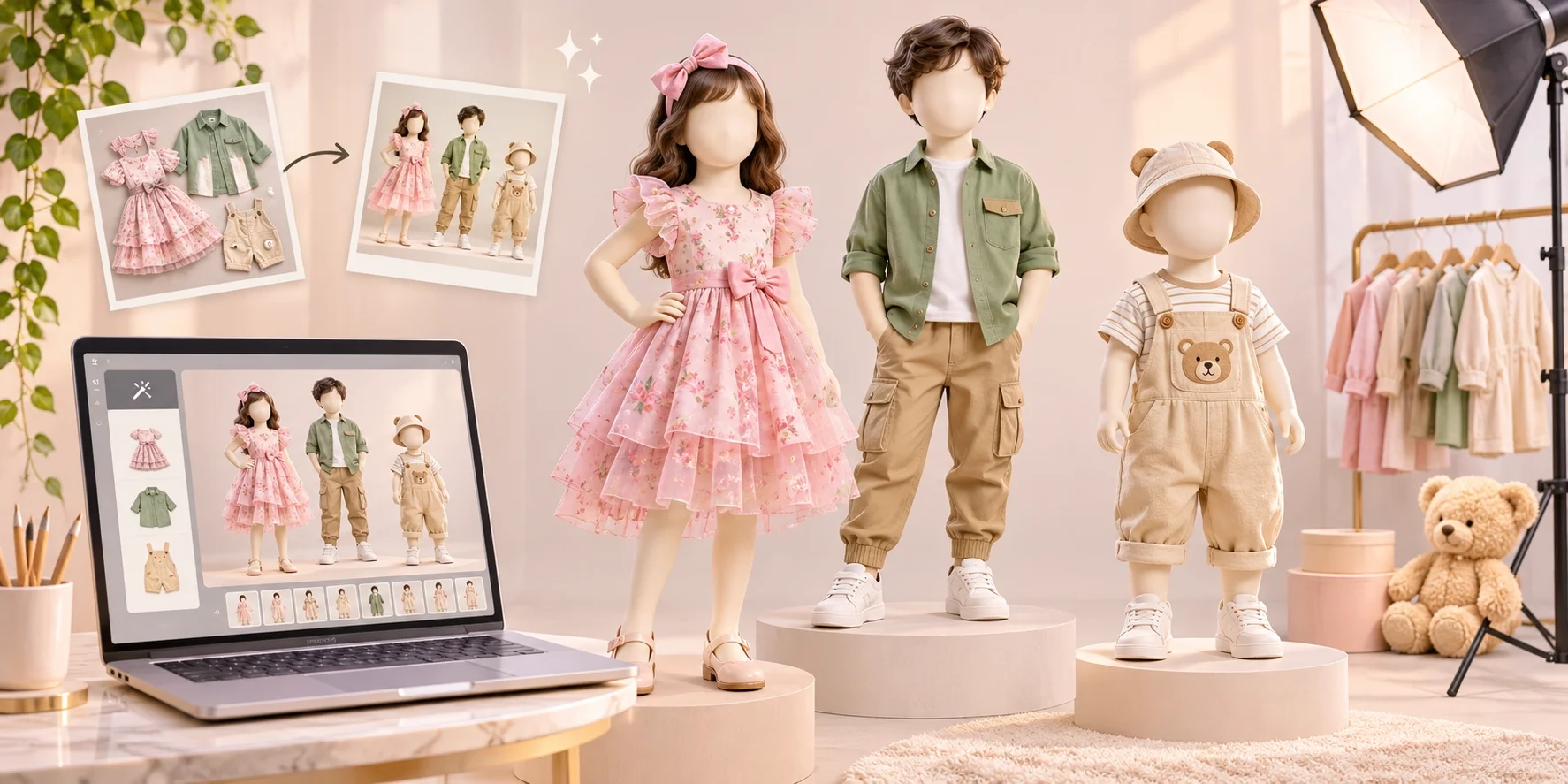
Selling kids' clothing online is not just about having beautiful designs. Customers also want to see how those clothes look when worn.
Whether you sell babywear, girls' frocks, boys' shirts, ethnic wear, or matching kidswear sets, clear product photos help customers understand the style, color, and overall appearance of each outfit.
But arranging a traditional kidswear photoshoot is not always easy.
You need child models, photographers, a studio, suitable outfits, and time to organize everything. Working with young children also requires extra care, breaks, and coordination with parents or guardians.
For small clothing businesses, repeating this process for every new collection can become expensive and difficult.
What if you could create attractive kidswear catalogue photos without arranging a physical model photoshoot?
AI-powered fashion photography tools are making this possible.
With a clear garment photo and the right digital tools, kidswear businesses can create virtual on-model images for their catalogues, websites, and social media.
In this guide, we'll explain how the process works, what images you need, and how to make your final catalogue look professional.
Why Is Kidswear Catalogue Photography Important?
Imagine you are shopping online for a birthday dress for a five-year-old girl.
One seller shows a dress hanging on a wall. Another shows the same type of dress in a complete styled catalogue image.
Which listing makes it easier to imagine the outfit?
The styled image can help customers understand the dress's overall appearance, length, sleeves, and how it might look when worn.
However, a model image should not replace accurate product information. Buyers still need real garment photos, measurements, material details, and a size chart.
A useful kidswear catalogue should help customers answer these questions:
-
What does the outfit actually look like?
-
What is the color and design?
-
How long are the sleeves?
-
Does the outfit have buttons, embroidery, or prints?
-
Which age group and size is it designed for?
Good photography communicates this information quickly.
According to Shopify's product photography guide, high-quality product photographs help online stores look professional and build customer trust.
Taking product photographs
Why Traditional Kidswear Photoshoots Can Be Difficult
Traditional kidswear photography requires more planning than simply taking a picture of a garment.
First, businesses need models whose ages and sizes are suitable for their collections.
For example, a manufacturer producing clothes for children aged two to twelve may need several models because one child cannot accurately represent every clothing size.
Next, the business must arrange photography equipment, a studio or location, styling, and editing.
There are also practical challenges. Children may become tired during long sessions, and their comfort and wellbeing must always come first.
For manufacturers releasing new designs regularly, organizing repeated photoshoots may slow down catalogue creation.
This is why some businesses are exploring AI-generated catalogue images as an alternative for visual presentation.
What Is AI Kidswear Catalogue Photography?
AI kidswear catalogue photography is the process of using artificial intelligence to create clothing product visuals without conducting a new physical model photoshoot.
Instead of hiring a child model for every product, a business starts with existing product photographs and generates a digital representation of the garment on a virtual model.
For example, suppose a manufacturer has a photograph of a pink cotton frock.
An AI image generation tool may be able to produce a catalogue-style image showing a virtual child model wearing a similar frock in a studio setting.
Depending on the tool and input quality, the seller may also create different compositions, backgrounds, or poses.
However, generated visuals must be carefully checked. AI can sometimes change garment patterns, fabric textures, buttons, and proportions.
For accurate selling, the real garment remains the source of truth.
How to Create Kidswear Catalogue Photos Without Hiring Models: Step-by-Step Guide
The following workflow can help you create a catalogue using product photographs and AI tools.
Step 1: Take Clear Photos of Your Kidswear Products
Start with a clear picture of the actual clothing item.
You do not need an expensive camera. A modern smartphone can work well when lighting is sufficient.
Place the garment on a clean, flat surface or hang it neatly against a simple background.
Make sure the entire product is visible, including important features such as the neckline, sleeves, pockets, and hemline.
For better results, capture the front and back. Also take close-up images of prints, embroidery, buttons, and other details.
For example, if you are photographing a girls' floral frock, make sure the floral pattern is sharp and its original colors are clearly visible.
Avoid excessive filters, strong shadows, and distracting objects.
Step 2: Choose the Correct Age Group and Clothing Style
Kidswear comes in different categories, and each category needs a different presentation.
A newborn clothing set should not be shown on a model representing a ten-year-old child.
Before generating any images, organize your products by age group, garment category, size range, and style.
|
Kidswear category |
Suggested presentation |
|---|---|
|
Babywear |
Flat-lay or mannequin photography |
|
Toddler clothing |
Simple, comfortable, age-appropriate poses |
|
Girls' frocks |
Standing catalogue views with clear dress details |
|
Boys' shirts and sets |
Natural standing poses showing the complete outfit |
|
Kids' ethnic wear |
Simple festive backgrounds and full-outfit views |
|
Kids' nightwear |
Comfortable, modest, age-appropriate presentation |
A virtual model is useful for styling inspiration, but it should not be treated as proof of actual garment fit.
Step 3: Use an AI Clothing Photography Tool
Once your garment pictures are ready, you can explore a fashion image generation tool.
Textile Magic AI provides tools for creating fashion images, garment visualizations, and catalogue-style product visuals.
Its AI Catalogue Generator supports workflows using model and garment references to generate fashion catalogue poses.
Textile Magic AI+1
For kidswear, check whether the selected workflow supports the age group and garment type you need before generating images.
A practical workflow is:
-
Prepare the original garment photograph.
-
Select a compatible clothing visualization or catalogue workflow.
-
Provide an appropriate, authorized model reference if required.
-
Generate a sample image.
-
Compare the result with your actual garment before creating more images.
If you only have a fabric photograph rather than a finished garment, the Fabric-to-Garment tool can help explore a clothing design visually. Such concept images should not be presented as exact photographs of finished products.
Textile Magic AI
Step 4: Select a Clean Background
A professional catalogue does not always need a complicated background.
Simple backgrounds usually work best because they keep attention on the clothing.
For casual kidswear, you might choose a light cream, pastel beige, or soft gray studio background.
For festive clothing, a subtle decorative background can make the image feel more suitable for the occasion.
Avoid crowded scenes that hide garment details.
If you have multiple products in one collection, use similar lighting and backgrounds to create a consistent catalogue.
This also makes it easier for customers to compare designs.
Step 5: Create Different Views of Each Outfit
Vestido Infantil Casinha de Abelha Bella Flor Lavanda - Little Closet
Front view
Vestido Infantil Menina Três Marias Lilás 100% Algodão com Laço Dourado – Verão 2026
Side-angle view
Showing only one photograph may not provide enough information to buyers.
For a kidswear catalogue, consider preparing five useful image types:
-
Front view: Shows the complete clothing design.
-
Side-angle view: Helps customers understand the garment shape.
-
Back view: Displays back buttons, zippers, or other important details.
-
Close-up view: Shows original fabric texture, embroidery, or prints.
-
Lifestyle view: Presents the clothing in a simple, age-appropriate setting.
Not every view has to be AI-generated. Real product close-ups and back views are often more reliable for showing exact garment details.
Important: Keep the clothing design, colors, proportions, and accessories consistent across all generated images. If the AI output changes the product, correct or discard that image.
Step 6: Check the Generated Photos Before Publishing
AI-generated pictures may look attractive but still contain mistakes.
For example, a tool might accidentally remove a pocket, change a neckline, add an extra button, or produce unrealistic folds.
These details matter because customers expect the delivered product to match the catalogue.
Before publishing, compare each generated image with the original garment.
Check the fabric pattern, sleeve length, collar, buttons, embroidery, and actual color.
Also check the model's appearance, proportions, hands, and pose for obvious visual errors.
For children's clothing, use age-appropriate, modest, and natural-looking presentations.
Do not upload identifiable photographs of real children without appropriate parental or guardian permission. A virtual model or properly licensed reference can avoid unnecessary use of real children's personal images.
How Many Photos Should a Kidswear Product Have?
There is no single number that works for every business.
However, a collection of four to six useful images can give customers a clearer understanding of an outfit than a single image.
Here is an example of a practical six-image product gallery:
|
Image |
Purpose |
|---|---|
|
1. Main product photo |
Shows the exact garment |
|
2. Virtual model front view |
Helps visualize the styling |
|
3. Virtual model angle view |
Shows another perspective |
|
4. Actual back photo |
Shows the real back design |
|
5. Fabric close-up |
Shows real texture and details |
|
6. Size chart |
Explains measurements and fit |
For ecommerce, this combination provides both attractive presentation and trustworthy product information.
Traditional Kidswear Photoshoot vs AI Catalogue Photography
Both approaches have advantages.
|
Feature |
Traditional photoshoot |
AI catalogue workflow |
|---|---|---|
|
Physical child models |
Usually required for on-model photos |
Not required with suitable virtual models |
|
Studio booking |
Often needed |
Usually unnecessary |
|
Photo creation |
Requires a scheduled shoot |
Can begin with existing product photos |
|
Different backgrounds |
May require multiple setups |
Can be generated digitally |
|
Real garment fit |
Can be photographed directly |
Must be verified independently |
|
Product accuracy |
Depends on styling and editing |
Depends on references and AI output |
|
Best use |
Authentic fit and campaign photography |
Catalogue concepts and additional visuals |
AI can reduce the need for repeated studio arrangements, but the actual cost and time savings depend on the number of images generated, revisions required, and the chosen tool.
For brands that need verified fit, authentic child-model photography may still be the right choice.
Best Image Sizes for Kidswear Catalogues
Images should be clear and suitable for the platform where they will appear.
These are practical export recommendations, not universal platform requirements.
|
Platform or use |
Suggested dimensions |
Ratio |
|---|---|---|
|
Product catalogue portrait |
1200 × 1500 px |
4:5 |
|
Ecommerce product thumbnail |
1200 × 1200 px |
1:1 |
|
Instagram feed post |
1080 × 1350 px |
4:5 |
|
Instagram Stories |
1080 × 1920 px |
9:16 |
|
WhatsApp catalogue |
1200 × 1200 px |
1:1 |
For Google Merchant Center, image quality and compliance are particularly important. Google's 2026 product-data update introduced a 500 × 500 pixel minimum, with enforcement scheduled for January 31, 2027. Google also restricts promotional text, watermarks, and borders on standard product images.
Google Merchant Center Help+1
Always review the latest image requirements of the platform where you sell.
Common Mistakes to Avoid in AI Kidswear Photography
Even with good AI tools, certain mistakes can reduce catalogue quality.
1. Changing the original clothing design
An attractive image is not useful if the generated garment differs from the item being sold. Always compare it with real product photos.
2. Using an incorrect model age
Select an age-appropriate virtual presentation for the garment category. Do not imply that a virtual image proves how a particular size fits a real child.
3. Adding too many background elements
Bright decorations, toys, and complicated settings can distract customers from the clothing.
4. Using different lighting for every product
A collection looks more organized when colors, backgrounds, and framing follow the same visual style.
5. Depending entirely on generated images
Keep real garment photographs, fabric details, and accurate size charts alongside AI visuals.
6. Making claims about comfort or fit from visuals alone
A photograph cannot establish whether fabric is breathable, comfortable, or suitable for a particular age. Base those claims on verified product specifications and testing.
Who Can Benefit From AI Kidswear Catalogue Photography?
AI-generated fashion visuals can be useful for different types of clothing businesses.
Kidswear manufacturers: Manufacturers producing large collections can explore new catalogue styles without arranging a separate physical shoot for every design.
Wholesale clothing suppliers: Wholesalers can create digital presentations to share product collections with retailers and buyers.
Online clothing sellers: Small sellers can improve product presentation for websites, Instagram, and WhatsApp while retaining accurate garment images.
New fashion brands: Businesses preparing their first collection can test catalogue concepts before investing in a larger production shoot.
Fashion designers: Designers can visualize certain styling ideas before physical samples or campaigns are complete.
How Textile Magic AI Can Help Clothing Sellers
Appar Global | Ethical Apparel Manufacturing — Bangladesh
Creating catalogue images should not require arranging a complete photoshoot every time a new clothing collection arrives.
Textile Magic AI provides AI-powered fashion content creation tools designed to simplify product visualization and catalogue preparation.
Businesses can explore:
-
Fabric to Garment — visualize clothing concepts using fabric references.
-
AI Catalogue Generator — create fashion catalogue visuals from suitable model and garment references.
-
Virtual Try-On — visualize garments on models.
-
AI Video Studio — explore video content from suitable fashion images.
These capabilities can support fashion content creation. Check each tool's suitability for children's garments and reference images before using it for a kidswear project.
You can also explore Textile Magic AI pricing to understand available credit-based options.
Frequently Asked Questions
1. Can I create kidswear catalogue photos without hiring child models?
Yes. AI image generation tools can create virtual model visuals from garment references when the selected tool supports that workflow. These images should be reviewed for product accuracy before publishing.
2. Do I need professional equipment to start?
No. A smartphone, a clean background, and soft natural light can be enough to photograph garments for an initial catalogue workflow.
3. Can AI create different poses for the same kidswear outfit?
Some AI catalogue tools support multiple poses. The results depend on the tool, reference images, and garment type. Make sure the original clothing design remains consistent.
4. Can AI-generated kidswear images be used on ecommerce websites?
They can be used where the relevant platform's rules allow them. Sellers should avoid misleading product representations, maintain accurate product information, and follow applicable AI-image disclosure requirements.
5. Can I use fabric photos to visualize kidswear designs?
Yes, fabric-to-garment visualization tools can help create design concepts. However, generated clothing may not reproduce every manufacturing detail, so concept images should be distinguished from photographs of finished items.
6. What is the best background for kidswear catalogue photography?
Clean studio backgrounds in cream, white, gray, or gentle pastel colors are versatile choices. The best background is one that makes the clothing easy to see without distracting elements.
7. How do I keep my kidswear catalogue consistent?
Use similar lighting, matching backgrounds, consistent image dimensions, and a standard set of product views. Verify that the garment stays accurate in every image.
Final Thoughts
Creating professional kidswear catalogue photos no longer has to begin with booking a studio and arranging a complete model photoshoot.
AI tools offer another way for clothing sellers, manufacturers, and online brands to prepare visual content using existing garment photographs.
The most effective approach combines creativity with accuracy.
Start with good product photos, choose suitable digital tools, keep the backgrounds simple, and carefully check every generated result.
Above all, make sure the catalogue represents the actual clothing customers will receive.
For businesses exploring digital fashion photography, Textile Magic AI offers a place to start experimenting with garment visualization and catalogue content creation.
Create More, Shoot Less with Textile Magic AI.