Taking good clothing photos is not always easy.
If you run a clothing store, you know how much work goes into a photoshoot. You need a model, a photographer, good lighting, a background, and time to edit the pictures.
For small clothing businesses, arranging all these things can be expensive.
But in 2026, there is an easier way.
Fashion photography apps can turn simple clothing pictures into professional-looking model photos. You can create different poses, change backgrounds, and prepare images for your online store without arranging a new photoshoot for every product.
These tools are useful for saree sellers, kurti manufacturers, fashion boutiques, Shopify stores, and clothing brands.
In this guide, we will explore 7 of the best fashion photography apps for clothing sellers in 2026, including their features, benefits, and who should use them.
What Are Fashion Photography Apps?
Fashion photography apps are online tools that help you create or improve pictures of clothing.
Some apps use artificial intelligence (AI) to create model images from your existing product photos.
For example, imagine you sell women's kurtis.
You have a simple picture of a kurti on a hanger. You want to show how it looks on a model.
Instead of booking a photoshoot, you can upload your clothing photo to a fashion photography app and create a new model image.
Depending on the app, you may also be able to:
-
Create different model poses.
-
Change clothing photo backgrounds.
-
Turn fabric pictures into garment designs.
-
Generate product catalogues.
-
Make short fashion videos.
-
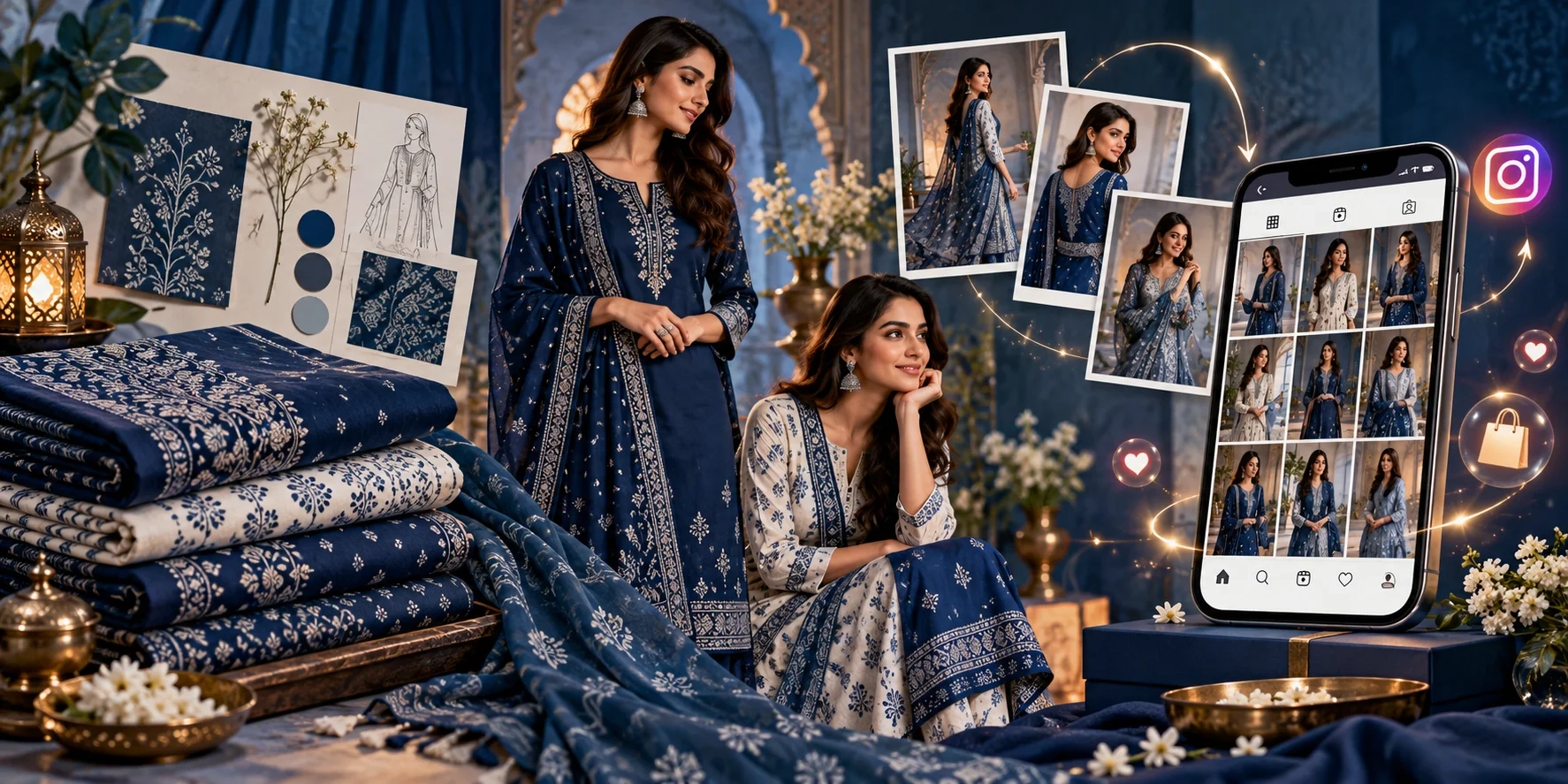
Prepare images for Shopify, Amazon, and Instagram.
The main benefit is simple: You can create more product photos without spending money on a new photoshoot every time.
7 Best Fashion Photography Apps in 2026
Here is a quick comparison of seven tools worth exploring.
| Fashion Photography App | Best For |
|---|---|
| Textile Magic AI | Affordable clothing catalogues, model photos, and textile businesses |
| Botika | Model photography for fashion brands |
| Photoroom | Product photo editing and Shopify sellers |
| Claid AI | Product photography and large catalogues |
| WeShop AI | Fashion models, outfit images, and creative content |
| Pebblely | Product backgrounds and lifestyle photography |
| Flair AI | Creative fashion photos and marketing visuals |
Each app offers something different. The right choice depends on your products, budget, and photography needs.
1. Textile Magic AI – Best for Affordable Fashion Photography and Clothing Catalogues
Website: www.textilemagicai.com
Best for: Saree sellers, textile manufacturers, clothing brands, fashion boutiques, Shopify sellers, and small businesses.
Textile Magic AI is a fashion content creation platform designed to make clothing photography easier and more affordable.
It helps businesses create model photos, fashion catalogues, garment previews, and short product videos using existing clothing or fabric pictures.
You do not need professional photography skills to get started.
Whether you sell sarees in Surat, kurtis in Jaipur, or western clothing through a Shopify store, Textile Magic AI offers tools for creating visuals for your products.
Key Features of Textile Magic AI
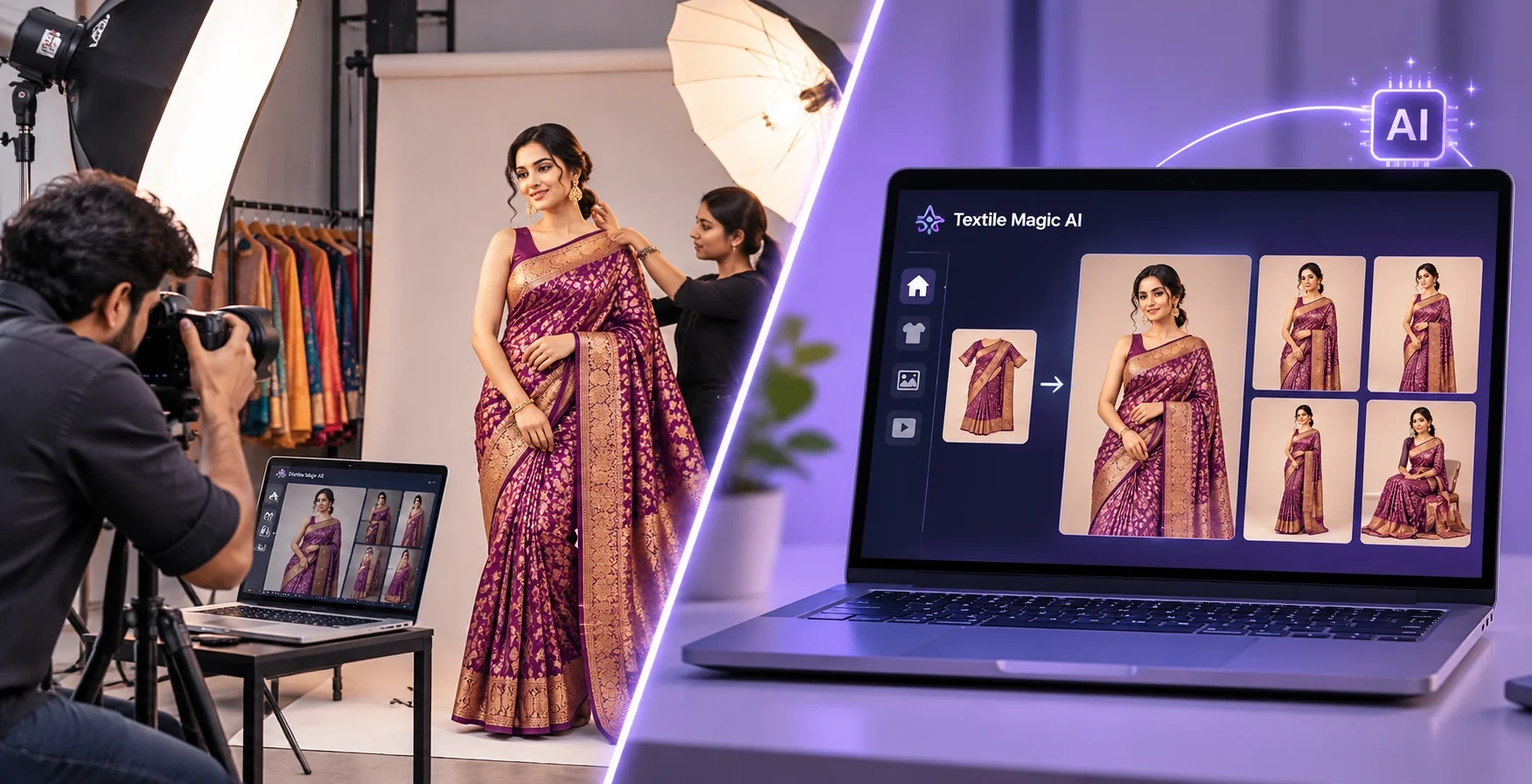
1. Fashion Catalogue Generator
The Fashion Catalogue Generator lets you upload your garment and model references to create up to six different catalogue poses.
You can choose the photography style, background, and individual poses.
For example, you can create a standing pose, walking pose, side view, sitting pose, and close-up view for your clothing collection.
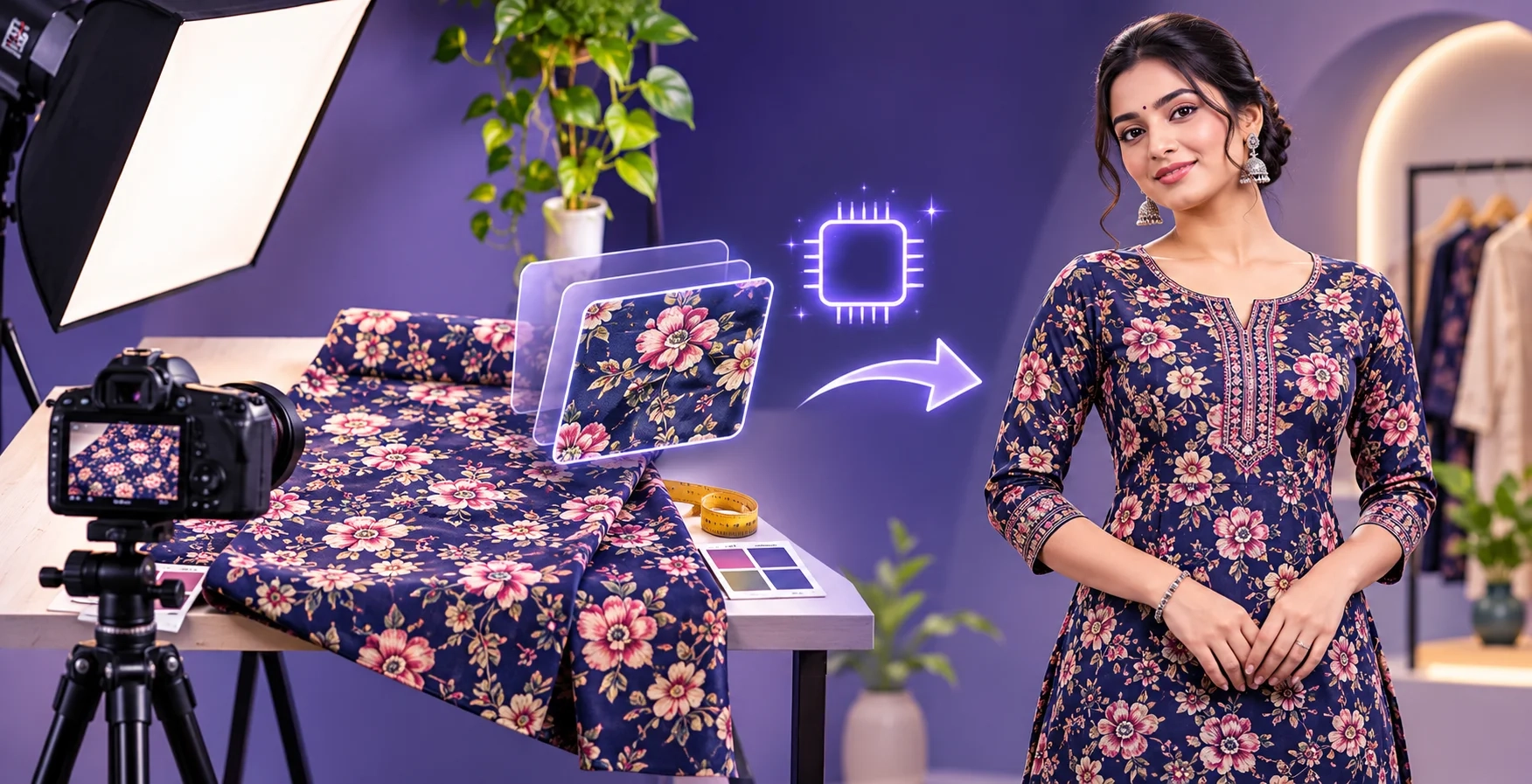
2. Fabric to Garment Generator
Have fabric but no finished garment photo?
With the Fabric to Garment Tool, you can upload a fabric picture and describe the clothing you want to create.
The tool can help you see how a fabric design may look as a kurti, shirt, dress, or another garment before making a physical sample.
This is especially useful for textile manufacturers and fabric wholesalers.
3. Saree Catalogue Photography
Saree sellers can create model-based catalogue pictures using saree references.
This can help businesses show different saree styles, draping looks, and model poses.
If you want to learn more, read our guide on How to Create a Saree Catalogue Online Without a Photoshoot.
4. Virtual Try-On and Fashion Videos
Textile Magic AI also provides tools for showing clothes on digital models and creating short videos from fashion images.
These can be useful for online product presentations, Instagram Reels, and marketing campaigns.
Very Affordable Starting Price
One of the biggest advantages of Textile Magic AI is its low starting price.
The Starter credit pack is listed at just ₹99 for 50 credits.
You do not need to purchase an expensive monthly subscription just to begin.
The platform offers one-time credit packs, and purchased credits do not expire.
This makes it useful for small clothing sellers who may only need a few images today and more images when their next collection arrives.
You can check the latest plans on the Textile Magic AI Pricing Page.
Helpful Customer Support
Another important benefit is customer support.
If you are new to fashion photography tools, you may need help uploading product photos, choosing the right workflow, or understanding how credits work.
The Textile Magic AI team offers customer guidance, personalized demos, and assistance with getting started.
This is useful for business owners who want a simple tool without learning complicated software.
Custom Development and Shopify Plans
Textile Magic AI also offers custom development services for businesses with special requirements.
For example, a clothing manufacturer may want a different catalogue workflow, while a boutique may need help creating its own online store.
The team offers Shopify and custom ecommerce store development services.
There are also plans to expand direct Shopify integration, making it easier for sellers to connect fashion content creation with their online store. This direct app integration is a future plan, not a currently available feature.
Why choose Textile Magic AI?
It is a practical choice for businesses that want multiple fashion content tools, affordable credit pricing, helpful support, and the option to discuss custom business requirements.
2. Botika – Best for Fashion Model Photography
Website: www.botika.com
Best for: Fashion brands, online clothing stores, and businesses with large clothing collections.
Botika is a fashion photography platform that helps brands turn clothing photos into model pictures.
You can start with a flat clothing photo, hanger image, or mannequin photo and use the platform to create on-model product images.
Botika focuses on fashion models and consistent catalogue photography.
Key Features
-
A library of digital fashion models.
-
Clothing-to-model photography.
-
Different model looks and backgrounds.
-
Bulk image generation.
-
Editorial fashion photography.
For example, if your clothing brand sells 100 different dresses, you may want to display them using a similar model and photography style.
Botika can help create a more consistent look across those product images.
Why choose Botika?
Botika is worth exploring if your main goal is to create model photography for a growing fashion collection.
3. Photoroom – Best for Product Photo Editing
Website: www.photoroom.com
Best for: Shopify sellers, online retailers, and businesses that need clean product pictures.
Photoroom is a product photography and photo editing platform.
It can help you remove unwanted backgrounds, create new product settings, and prepare images for ecommerce.
It also offers fashion model features that can create model-based images from clothing photos.
Key Features
-
Background removal.
-
Fashion model generation.
-
Product photo enhancement.
-
Background replacement.
-
Batch photo editing.
-
Shopify-related workflows.
Imagine that you have 50 clothing pictures taken in different places.
Some have white backgrounds. Others have walls, tables, or other objects behind them.
Photoroom can help create a more consistent look for your product images.
It is also useful for sellers who manage different kinds of products, not only fashion.
Why choose Photoroom?
Choose Photoroom if you need a mix of everyday image editing and fashion photography tools.
4. Claid AI – Best for Product Photos and Large Catalogues
Website: www.claid.ai
Best for: Ecommerce brands, photography teams, agencies, and large product catalogues.
Claid AI helps businesses create and improve product photographs.
It provides tools for enhancing existing images and generating new product scenes.
The platform also supports fashion content workflows, including model imagery.
Key Features
-
Product image enhancement.
-
Fashion photoshoot generation.
-
Background creation.
-
Image quality improvements.
-
Product photography automation.
-
API options for business workflows.
For example, a clothing brand may receive product photos from several suppliers.
The photos might have different lighting, backgrounds, and image quality.
Claid can help improve their presentation and support a more consistent product catalogue.
For businesses managing many products, automated image workflows can also save editing time.
Why choose Claid AI?
Claid is useful when your business needs both creative product photography and image improvement tools, especially for larger catalogues.
5. WeShop AI – Best for Fashion Models and Creative Clothing Images
Website: www.weshop.ai
Best for: Clothing sellers, social media creators, ecommerce businesses, and fashion marketing teams.
WeShop AI offers several tools for creating fashion and product visuals.
It includes features for fashion models, virtual try-on, pose changes, and other image editing tasks.
This makes it useful for sellers who want to create different looks for their products.
Key Features
-
Fashion model image generation.
-
Virtual clothing try-on.
-
Product photography.
-
Model pose changes.
-
Image enhancement.
-
Creative image and video tools.
For example, a clothing seller may want to show the same product in different poses or create a new promotional image for Instagram.
WeShop AI provides tools for testing these ideas without setting up a traditional studio.
Why choose WeShop AI?
It is a useful option for businesses that enjoy experimenting with model images and different visual styles for ecommerce and social media.
6. Pebblely – Best for Product Background Photography
Website: www.pebblely.com
Best for: Small online shops, fashion accessories, footwear brands, and lifestyle product photography.
Pebblely helps sellers create attractive product photos using their existing pictures.
You can upload a product image and describe the type of background or setting you want.
The tool creates a new product scene based on your instructions.
Key Features
-
Product background generation.
-
Different photography themes.
-
Lifestyle product images.
-
Marketing visuals.
-
Bulk image generation on supported plans.
For example, imagine that you sell handbags.
You have a simple handbag picture taken at home.
With Pebblely, you can create a product image with a stylish table, natural lighting, or another setting.
These types of pictures can be useful for websites, advertisements, and social media.
Pebblely focuses more on product scenes than detailed garment-to-model catalogue production.
Why choose Pebblely?
Pebblely is a good option when your biggest need is attractive product backgrounds and lifestyle images.
7. Flair AI – Best for Creative Fashion Marketing Photos
Website: www.flair.ai
Best for: Fashion marketing teams, creative businesses, online brands, and social media content creators.
Flair AI is a creative product photography platform that helps brands prepare product images and marketing visuals.
It offers tools for fashion models and creating different styles of product photography.
Key Features
-
Fashion model imagery.
-
Creative product photography.
-
Lifestyle backgrounds.
-
Product scene creation.
-
Image variations.
-
Marketing visuals.
Imagine you are launching a new clothing collection.
You want pictures that look more creative than standard white-background product photos.
You may want outdoor scenes, stylish backgrounds, or campaign-style images.
Flair AI can help you explore those creative directions.
Why choose Flair AI?
It is worth exploring if your business needs styled product visuals for marketing and brand campaigns.
How to Choose the Best Fashion Photography App for Your Business
Every clothing business has different needs.
A saree manufacturer may need detailed catalogue pictures. A Shopify seller may need clean product photos. A fashion brand may want creative images for a new collection.
Here are five things to check before choosing an app.
1. Check the Price
Start with a tool that fits your budget.
Look at the cost of the plan, the credits needed for each image, and whether you must pay every month.
For a small business, an affordable credit-based option can be helpful.
2. Check the Clothing Details
Your product photos should represent the actual item you sell.
If your kurti has a specific floral print, the generated picture should not change that print.
Always check the fabric colour, buttons, sleeves, collar, embroidery, and other important details.
3. Look for Different Model Poses
A single picture may not be enough for an online clothing store.
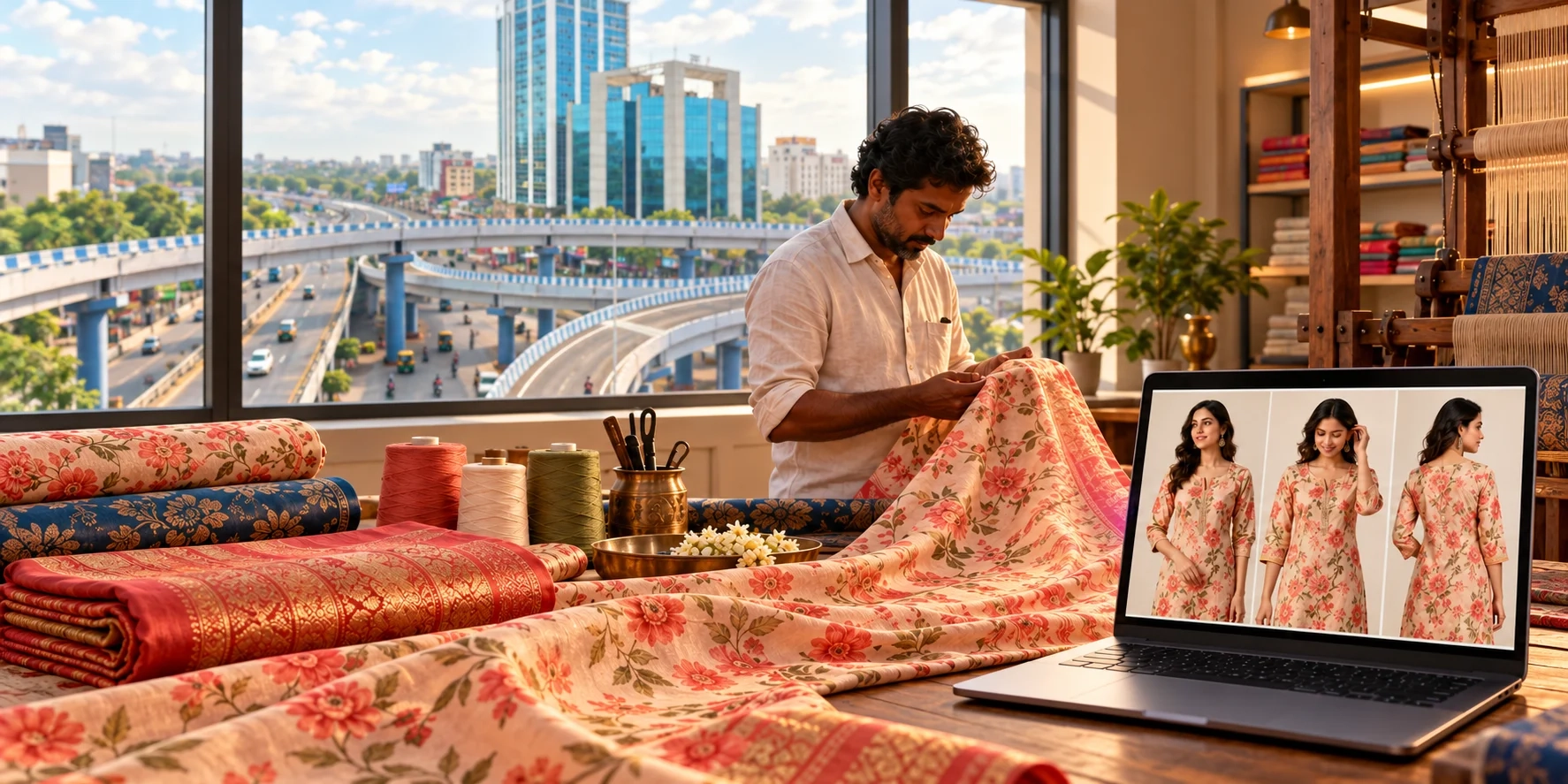
Customers often want to see the front, side, back, and close-up details.
Choose a tool that lets you create useful product views.
4. Check Customer Support
Good support matters, especially when you are using a new tool.
Look for clear instructions and a way to contact the team if you have problems.
5. Think About Your Online Store
If you sell through Shopify, Amazon, or Instagram, choose a tool that creates images suitable for those channels.
Check the image format, size, export quality, and any platform requirements.
For more information, read the official Shopify Guide to AI Product Photography.
How Can Indian Clothing Sellers Use Fashion Photography Apps?
Fashion photography tools can help clothing businesses across India prepare product images for online selling.
For example:
Surat textile manufacturers: Create catalogue previews for sarees, dress materials, and printed fabrics.
Jaipur clothing sellers: Prepare model images for kurtis, ethnic wear, and traditional clothing.
Mumbai fashion brands: Create fashion campaign visuals and product photography for new collections.
Delhi clothing wholesalers: Prepare consistent clothing catalogues for buyers and online stores.
Shopify sellers worldwide: Create product photos, model images, and supporting visuals for ecommerce websites.
A business can start with a clear product photograph, generate useful views, and prepare a catalogue without arranging a separate studio session for every variation.
You can learn more in our Step-by-Step Guide to Fabric to Garment and Catalogue Generation.
How to Create Clothing Product Photos Without a Photoshoot
You do not need complicated photography equipment to get started.
Follow these simple steps.
Step 1: Take a clear clothing photo. Use natural or even lighting. Make sure the garment design is visible.
Step 2: Choose a photography app. Select a tool that supports your product type and preferred photography style.
Step 3: Upload your product image. Add a model reference or background image if the tool supports it.
Step 4: Choose your poses and background. A simple studio background is often a good starting point for online clothing stores.
Step 5: Generate the pictures. Create different product views based on your needs.
Step 6: Check the results. Compare the generated images with the actual product. Do not publish images that change important clothing details.
Step 7: Add the approved images to your store. Use suitable image sizes, descriptive filenames, and helpful product descriptions.
For a detailed guide, read How to Create a Fashion Catalogue With AI Product Photography.
You can also follow Google's Image SEO Best Practices to make your product images easier for search engines to understand.
Frequently Asked Questions
1. What are the best AI fashion photography apps in 2026?
Textile Magic AI, Botika, Photoroom, Claid AI, WeShop AI, Pebblely, and Flair AI are seven options worth exploring. Each offers different tools for model photography, product editing, or creative fashion images.
2. Which fashion photography app is affordable for small clothing sellers?
Textile Magic AI offers an affordable starting option with a ₹99 credit pack listed on its pricing page. It also offers one-time credit purchases, making it useful for businesses that do not want a recurring subscription.
3. Can I create clothing model photos without hiring a model?
Yes. Several fashion photography apps can create digital model images using clothing photographs. You should still check the results against your actual products.
4. Which app is useful for saree and kurti photography?
Textile Magic AI provides dedicated tools for fabric visualisation, saree catalogues, virtual try-on, and multi-pose fashion photography.
5. Can I use generated fashion photos on Shopify?
Yes, suitable generated images can be uploaded to Shopify product listings. Make sure they accurately represent your products and meet relevant platform requirements. Some tools also offer direct Shopify-related workflows.
6. Can fashion photography apps replace traditional photoshoots?
They can reduce the need for repeated photoshoots for catalogues and creative content. However, traditional photography is still useful when you need exact real-world fabric, fit, and product details.
Final Thoughts: Which Fashion Photography App Should You Choose?
The best fashion photography app depends on what you want to create.
If you need fashion models and large clothing catalogues, Botika is worth considering.
If you want everyday product image editing, Photoroom is a useful option.
For product enhancements and larger workflows, Claid AI offers additional capabilities.
WeShop AI, Pebblely, and Flair AI are also useful for different creative and marketing needs.
But if you are a clothing seller looking for affordable fashion photography, garment visualisation, multiple catalogue poses, and helpful customer support, Textile Magic AI is a strong starting point.
Its low-cost credit packs make it accessible to small clothing businesses, while its custom development services and future Shopify integration plans are aimed at helping growing ecommerce brands.
You can begin with one clothing picture, explore different catalogue styles, and create product visuals for your store.
Create more clothing photos without arranging more photoshoots.
Explore Textile Magic AI and View Affordable Pricing Plans to get started.
7 Best Fashion Photography Apps for Clothing Sellers in 2026
Taking good clothing photos is not always easy.
If you run a clothing store, you know how much work goes into a photoshoot. You need a model, a photographer, good lighting, a background, and time to edit the pictures.
For small clothing businesses, arranging all these things can be expensive.
But in 2026, there is an easier way.
Fashion photography apps can turn simple clothing pictures into professional-looking model photos. You can create different poses, change backgrounds, and prepare images for your online store without arranging a new photoshoot for every product.
These tools are useful for saree sellers, kurti manufacturers, fashion boutiques, Shopify stores, and clothing brands.
In this guide, we will explore 7 of the best fashion photography apps for clothing sellers in 2026, including their features, benefits, and who should use them.
What Are Fashion Photography Apps?
Fashion photography apps are online tools that help you create or improve pictures of clothing.
Some apps use artificial intelligence (AI) to create model images from your existing product photos.
For example, imagine you sell women's kurtis.
You have a simple picture of a kurti on a hanger. You want to show how it looks on a model.
Instead of booking a photoshoot, you can upload your clothing photo to a fashion photography app and create a new model image.
Depending on the app, you may also be able to:
-
Create different model poses.
-
Change clothing photo backgrounds.
-
Turn fabric pictures into garment designs.
-
Generate product catalogues.
-
Make short fashion videos.
-
Prepare images for Shopify, Amazon, and Instagram.
The main benefit is simple: You can create more product photos without spending money on a new photoshoot every time.
7 Best Fashion Photography Apps in 2026
Here is a quick comparison of seven tools worth exploring.
| Fashion Photography App | Best For |
|---|---|
| Textile Magic AI | Affordable clothing catalogues, model photos, and textile businesses |
| Botika | Model photography for fashion brands |
| Photoroom | Product photo editing and Shopify sellers |
| Claid AI | Product photography and large catalogues |
| WeShop AI | Fashion models, outfit images, and creative content |
| Pebblely | Product backgrounds and lifestyle photography |
| Flair AI | Creative fashion photos and marketing visuals |
Each app offers something different. The right choice depends on your products, budget, and photography needs.
1. Textile Magic AI – Best for Affordable Fashion Photography and Clothing Catalogues
Website: www.textilemagicai.com
Best for: Saree sellers, textile manufacturers, clothing brands, fashion boutiques, Shopify sellers, and small businesses.
Textile Magic AI is a fashion content creation platform designed to make clothing photography easier and more affordable.
It helps businesses create model photos, fashion catalogues, garment previews, and short product videos using existing clothing or fabric pictures.
You do not need professional photography skills to get started.
Whether you sell sarees in Surat, kurtis in Jaipur, or western clothing through a Shopify store, Textile Magic AI offers tools for creating visuals for your products.
Key Features of Textile Magic AI
1. Fashion Catalogue Generator
The Fashion Catalogue Generator lets you upload your garment and model references to create up to six different catalogue poses.
You can choose the photography style, background, and individual poses.
For example, you can create a standing pose, walking pose, side view, sitting pose, and close-up view for your clothing collection.
2. Fabric to Garment Generator
Have fabric but no finished garment photo?
With the Fabric to Garment Tool, you can upload a fabric picture and describe the clothing you want to create.
The tool can help you see how a fabric design may look as a kurti, shirt, dress, or another garment before making a physical sample.
This is especially useful for textile manufacturers and fabric wholesalers.
3. Saree Catalogue Photography
Saree sellers can create model-based catalogue pictures using saree references.
This can help businesses show different saree styles, draping looks, and model poses.
If you want to learn more, read our guide on How to Create a Saree Catalogue Online Without a Photoshoot.
4. Virtual Try-On and Fashion Videos
Textile Magic AI also provides tools for showing clothes on digital models and creating short videos from fashion images.
These can be useful for online product presentations, Instagram Reels, and marketing campaigns.
Very Affordable Starting Price
One of the biggest advantages of Textile Magic AI is its low starting price.
The Starter credit pack is listed at just ₹99 for 50 credits.
You do not need to purchase an expensive monthly subscription just to begin.
The platform offers one-time credit packs, and purchased credits do not expire.
This makes it useful for small clothing sellers who may only need a few images today and more images when their next collection arrives.
You can check the latest plans on the Textile Magic AI Pricing Page.
Helpful Customer Support
Another important benefit is customer support.
If you are new to fashion photography tools, you may need help uploading product photos, choosing the right workflow, or understanding how credits work.
The Textile Magic AI team offers customer guidance, personalized demos, and assistance with getting started.
This is useful for business owners who want a simple tool without learning complicated software.
Custom Development and Shopify Plans
Textile Magic AI also offers custom development services for businesses with special requirements.
For example, a clothing manufacturer may want a different catalogue workflow, while a boutique may need help creating its own online store.
The team offers Shopify and custom ecommerce store development services.
There are also plans to expand direct Shopify integration, making it easier for sellers to connect fashion content creation with their online store. This direct app integration is a future plan, not a currently available feature.
Why choose Textile Magic AI?
It is a practical choice for businesses that want multiple fashion content tools, affordable credit pricing, helpful support, and the option to discuss custom business requirements.
2. Botika – Best for Fashion Model Photography
Website: www.botika.com
Best for: Fashion brands, online clothing stores, and businesses with large clothing collections.
Botika is a fashion photography platform that helps brands turn clothing photos into model pictures.
You can start with a flat clothing photo, hanger image, or mannequin photo and use the platform to create on-model product images.
Botika focuses on fashion models and consistent catalogue photography.
Key Features
-
A library of digital fashion models.
-
Clothing-to-model photography.
-
Different model looks and backgrounds.
-
Bulk image generation.
-
Editorial fashion photography.
For example, if your clothing brand sells 100 different dresses, you may want to display them using a similar model and photography style.
Botika can help create a more consistent look across those product images.
Why choose Botika?
Botika is worth exploring if your main goal is to create model photography for a growing fashion collection.
3. Photoroom – Best for Product Photo Editing
Website: www.photoroom.com
Best for: Shopify sellers, online retailers, and businesses that need clean product pictures.
Photoroom is a product photography and photo editing platform.
It can help you remove unwanted backgrounds, create new product settings, and prepare images for ecommerce.
It also offers fashion model features that can create model-based images from clothing photos.
Key Features
-
Background removal.
-
Fashion model generation.
-
Product photo enhancement.
-
Background replacement.
-
Batch photo editing.
-
Shopify-related workflows.
Imagine that you have 50 clothing pictures taken in different places.
Some have white backgrounds. Others have walls, tables, or other objects behind them.
Photoroom can help create a more consistent look for your product images.
It is also useful for sellers who manage different kinds of products, not only fashion.
Why choose Photoroom?
Choose Photoroom if you need a mix of everyday image editing and fashion photography tools.
4. Claid AI – Best for Product Photos and Large Catalogues
Website: www.claid.ai
Best for: Ecommerce brands, photography teams, agencies, and large product catalogues.
Claid AI helps businesses create and improve product photographs.
It provides tools for enhancing existing images and generating new product scenes.
The platform also supports fashion content workflows, including model imagery.
Key Features
-
Product image enhancement.
-
Fashion photoshoot generation.
-
Background creation.
-
Image quality improvements.
-
Product photography automation.
-
API options for business workflows.
For example, a clothing brand may receive product photos from several suppliers.
The photos might have different lighting, backgrounds, and image quality.
Claid can help improve their presentation and support a more consistent product catalogue.
For businesses managing many products, automated image workflows can also save editing time.
Why choose Claid AI?
Claid is useful when your business needs both creative product photography and image improvement tools, especially for larger catalogues.
5. WeShop AI – Best for Fashion Models and Creative Clothing Images
Website: www.weshop.ai
Best for: Clothing sellers, social media creators, ecommerce businesses, and fashion marketing teams.
WeShop AI offers several tools for creating fashion and product visuals.
It includes features for fashion models, virtual try-on, pose changes, and other image editing tasks.
This makes it useful for sellers who want to create different looks for their products.
Key Features
-
Fashion model image generation.
-
Virtual clothing try-on.
-
Product photography.
-
Model pose changes.
-
Image enhancement.
-
Creative image and video tools.
For example, a clothing seller may want to show the same product in different poses or create a new promotional image for Instagram.
WeShop AI provides tools for testing these ideas without setting up a traditional studio.
Why choose WeShop AI?
It is a useful option for businesses that enjoy experimenting with model images and different visual styles for ecommerce and social media.
6. Pebblely – Best for Product Background Photography
Website: www.pebblely.com
Best for: Small online shops, fashion accessories, footwear brands, and lifestyle product photography.
Pebblely helps sellers create attractive product photos using their existing pictures.
You can upload a product image and describe the type of background or setting you want.
The tool creates a new product scene based on your instructions.
Key Features
-
Product background generation.
-
Different photography themes.
-
Lifestyle product images.
-
Marketing visuals.
-
Bulk image generation on supported plans.
For example, imagine that you sell handbags.
You have a simple handbag picture taken at home.
With Pebblely, you can create a product image with a stylish table, natural lighting, or another setting.
These types of pictures can be useful for websites, advertisements, and social media.
Pebblely focuses more on product scenes than detailed garment-to-model catalogue production.
Why choose Pebblely?
Pebblely is a good option when your biggest need is attractive product backgrounds and lifestyle images.
7. Flair AI – Best for Creative Fashion Marketing Photos
Website: www.flair.ai
Best for: Fashion marketing teams, creative businesses, online brands, and social media content creators.
Flair AI is a creative product photography platform that helps brands prepare product images and marketing visuals.
It offers tools for fashion models and creating different styles of product photography.
Key Features
-
Fashion model imagery.
-
Creative product photography.
-
Lifestyle backgrounds.
-
Product scene creation.
-
Image variations.
-
Marketing visuals.
Imagine you are launching a new clothing collection.
You want pictures that look more creative than standard white-background product photos.
You may want outdoor scenes, stylish backgrounds, or campaign-style images.
Flair AI can help you explore those creative directions.
Why choose Flair AI?
It is worth exploring if your business needs styled product visuals for marketing and brand campaigns.
How to Choose the Best Fashion Photography App for Your Business
Every clothing business has different needs.
A saree manufacturer may need detailed catalogue pictures. A Shopify seller may need clean product photos. A fashion brand may want creative images for a new collection.
Here are five things to check before choosing an app.
1. Check the Price
Start with a tool that fits your budget.
Look at the cost of the plan, the credits needed for each image, and whether you must pay every month.
For a small business, an affordable credit-based option can be helpful.
2. Check the Clothing Details
Your product photos should represent the actual item you sell.
If your kurti has a specific floral print, the generated picture should not change that print.
Always check the fabric colour, buttons, sleeves, collar, embroidery, and other important details.
3. Look for Different Model Poses
A single picture may not be enough for an online clothing store.
Customers often want to see the front, side, back, and close-up details.
Choose a tool that lets you create useful product views.
4. Check Customer Support
Good support matters, especially when you are using a new tool.
Look for clear instructions and a way to contact the team if you have problems.
5. Think About Your Online Store
If you sell through Shopify, Amazon, or Instagram, choose a tool that creates images suitable for those channels.
Check the image format, size, export quality, and any platform requirements.
For more information, read the official Shopify Guide to AI Product Photography.
How Can Indian Clothing Sellers Use Fashion Photography Apps?
Fashion photography tools can help clothing businesses across India prepare product images for online selling.
For example:
Surat textile manufacturers: Create catalogue previews for sarees, dress materials, and printed fabrics.
Jaipur clothing sellers: Prepare model images for kurtis, ethnic wear, and traditional clothing.
Mumbai fashion brands: Create fashion campaign visuals and product photography for new collections.
Delhi clothing wholesalers: Prepare consistent clothing catalogues for buyers and online stores.
Shopify sellers worldwide: Create product photos, model images, and supporting visuals for ecommerce websites.
A business can start with a clear product photograph, generate useful views, and prepare a catalogue without arranging a separate studio session for every variation.
You can learn more in our Step-by-Step Guide to Fabric to Garment and Catalogue Generation.
How to Create Clothing Product Photos Without a Photoshoot
You do not need complicated photography equipment to get started.
Follow these simple steps.
Step 1: Take a clear clothing photo. Use natural or even lighting. Make sure the garment design is visible.
Step 2: Choose a photography app. Select a tool that supports your product type and preferred photography style.
Step 3: Upload your product image. Add a model reference or background image if the tool supports it.
Step 4: Choose your poses and background. A simple studio background is often a good starting point for online clothing stores.
Step 5: Generate the pictures. Create different product views based on your needs.
Step 6: Check the results. Compare the generated images with the actual product. Do not publish images that change important clothing details.
Step 7: Add the approved images to your store. Use suitable image sizes, descriptive filenames, and helpful product descriptions.
For a detailed guide, read How to Create a Fashion Catalogue With AI Product Photography.
You can also follow Google's Image SEO Best Practices to make your product images easier for search engines to understand.
Frequently Asked Questions
1. What are the best AI fashion photography apps in 2026?
Textile Magic AI, Botika, Photoroom, Claid AI, WeShop AI, Pebblely, and Flair AI are seven options worth exploring. Each offers different tools for model photography, product editing, or creative fashion images.
2. Which fashion photography app is affordable for small clothing sellers?
Textile Magic AI offers an affordable starting option with a ₹99 credit pack listed on its pricing page. It also offers one-time credit purchases, making it useful for businesses that do not want a recurring subscription.
3. Can I create clothing model photos without hiring a model?
Yes. Several fashion photography apps can create digital model images using clothing photographs. You should still check the results against your actual products.
4. Which app is useful for saree and kurti photography?
Textile Magic AI provides dedicated tools for fabric visualisation, saree catalogues, virtual try-on, and multi-pose fashion photography.
5. Can I use generated fashion photos on Shopify?
Yes, suitable generated images can be uploaded to Shopify product listings. Make sure they accurately represent your products and meet relevant platform requirements. Some tools also offer direct Shopify-related workflows.
6. Can fashion photography apps replace traditional photoshoots?
They can reduce the need for repeated photoshoots for catalogues and creative content. However, traditional photography is still useful when you need exact real-world fabric, fit, and product details.
Final Thoughts: Which Fashion Photography App Should You Choose?
The best fashion photography app depends on what you want to create.
If you need fashion models and large clothing catalogues, Botika is worth considering.
If you want everyday product image editing, Photoroom is a useful option.
For product enhancements and larger workflows, Claid AI offers additional capabilities.
WeShop AI, Pebblely, and Flair AI are also useful for different creative and marketing needs.
But if you are a clothing seller looking for affordable fashion photography, garment visualisation, multiple catalogue poses, and helpful customer support, Textile Magic AI is a strong starting point.
Its low-cost credit packs make it accessible to small clothing businesses, while its custom development services and future Shopify integration plans are aimed at helping growing ecommerce brands.
You can begin with one clothing picture, explore different catalogue styles, and create product visuals for your store.
Create more clothing photos without arranging more photoshoots.
Explore Textile Magic AI and View Affordable Pricing Plans to get started.